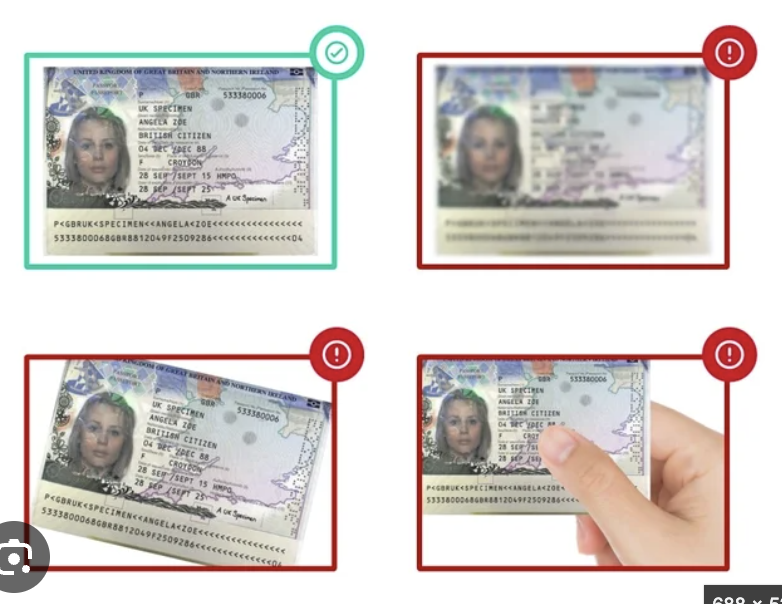
Passport
Photograph the clear page inside with your photo and details — not the cover.
Please complete your identity check so we can activate your Clyde Offices address.
Takes less than 2 minutes · Have your passport or driving licence ready
As a virtual office provider, we must verify the identity of our customers under UK anti-money-laundering rules. The check is secure and only needs to be completed once.
All virtual office providers are required by UK anti-money-laundering law to confirm who their customers are. It’s quick, secure, and you only need to do it once.
It should take less than 2 minutes. Have your passport or driving licence ready. You can upload a saved image if our ID provider offers that option, but a clear photo of the original document gives you the best chance of passing.
You can upload a saved image if our ID provider offers that option. For the best chance of approval, use a clear photo of the original document. Screenshots, scans, photocopies and photos of a screen may be rejected.
Photograph the clear page inside with your photo and details — not the cover.
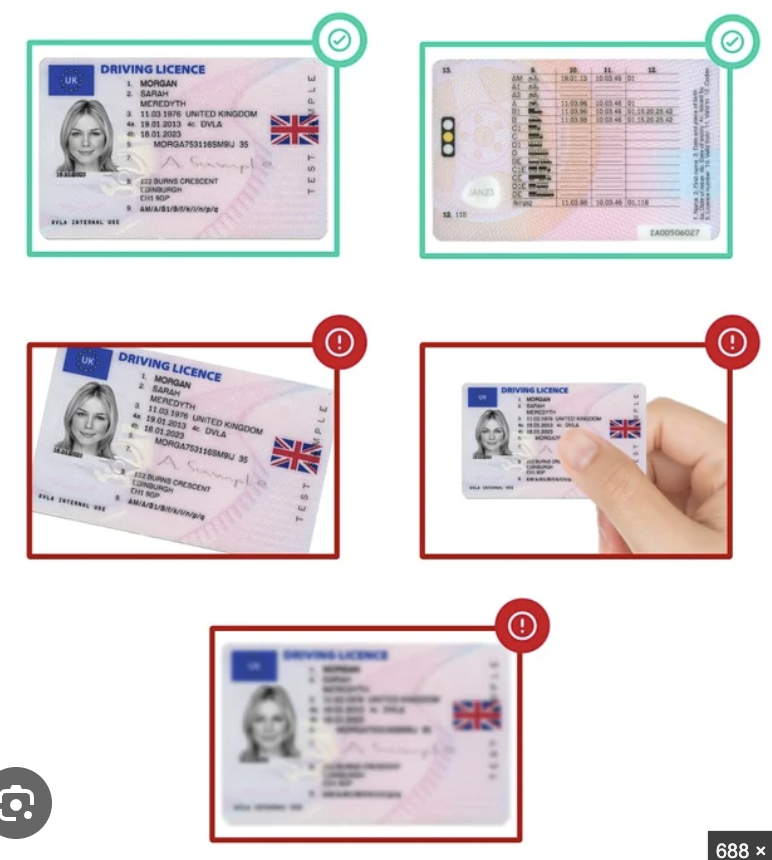
Photograph the front and back of the same licence clearly.
Our ID provider will guide you through each picture one at a time.
After you complete the Didit check, email clear copies of the identification document or documents you used to info@clydeoffices.co.uk.
This allows our team to match your verification to your customer record and complete the review. Please include your full name and, if you know it, your company name in the email.
Email your document copies